Why does my iPhone photo show the wrong time when I travel?
Updated · 5 min read
A photo's time looks wrong after travel for one of three reasons: the iPhone's time zone did not change when you landed, the photo was taken in one zone and is shown in another, or the photo's file has a time but no time zone, so each app guesses. The fixes are all small: let the iPhone set its zone automatically, know which zone you are reading, and when the exact time matters, write the zone down.
This matters for trip albums that sort in the wrong order, for photos sent to someone in another country, and for any photo used to show when something happened.
Is the iPhone's own time zone right?
Open Settings → General → Date & Time. With Set Automatically on, the iPhone takes the time from the network and the time zone from where it is; the zone can only update by itself if the phone can tell where it is, which needs Location Services. If Set Automatically is off, or the zone is set by hand, the phone keeps your home zone after you land and every new photo is stamped with the wrong local time.
Check the zone while you are still at the airport. The wording of the settings, and whether the time zone follows a separate System Services switch, can differ between iOS versions.
Why does the same photo show a different time on two devices?
A photo records an instant. How that instant is shown as a clock time depends on which time zone the viewer uses. A photo taken at 9:00 in Hanoi is 4:00 in Paris in summer and 19:00 the evening before in San Francisco. One app may show the time where the photo was taken; another may show it in the time zone of the device you are holding. Both are "correct", and they disagree by hours.
How the Photos app on your iPhone chooses, and how Photos on a Mac or iCloud.com chooses, has changed between versions and people still report differences, so do not assume. Compare the same photo on two devices before you trust a time.
What is stored in the photo file?
The classic EXIF date field, DateTimeOriginal, is a plain clock reading with no time zone. A separate, newer field can hold the offset from UTC, but not every app writes it and many ignore it when reading. So when a photo goes through a messaging app, a social network or an editor, the time may be dropped, replaced with the time it was sent, or reinterpreted in the zone of whoever opens it.
A screenshot, or a photo saved from a chat, carries the time it was made or saved, not the moment of the original shot.
How do I fix a photo that already has the wrong time?
In Photos, open the photo, swipe up (or tap ⓘ) and tap Adjust. You can change the date and time, and on current iOS versions the time zone too. To fix a whole trip, tap Select, choose the photos and use Adjust Date & Time from the more (…) menu, which shifts them together by the same amount. The exact buttons depend on your iOS version.
Only do this to correct an honest mistake, such as a phone that kept the home zone. Do not change times to make a photo say something it did not happen at.
How do I keep a trip's photos in order, and the time clear to others?
- Before you take the first photo, check Date & Time shows the right local zone, and recheck after each flight.
- If photos from a camera or a second phone are mixed in, shoot a photo of a clock or of the phone's clock screen once, so you can see how far each device is off and shift the batch.
- When the time matters to someone else, tell them the zone with it: "9:00 Vietnam time (UTC+7)". Do not rely on the file to carry it.
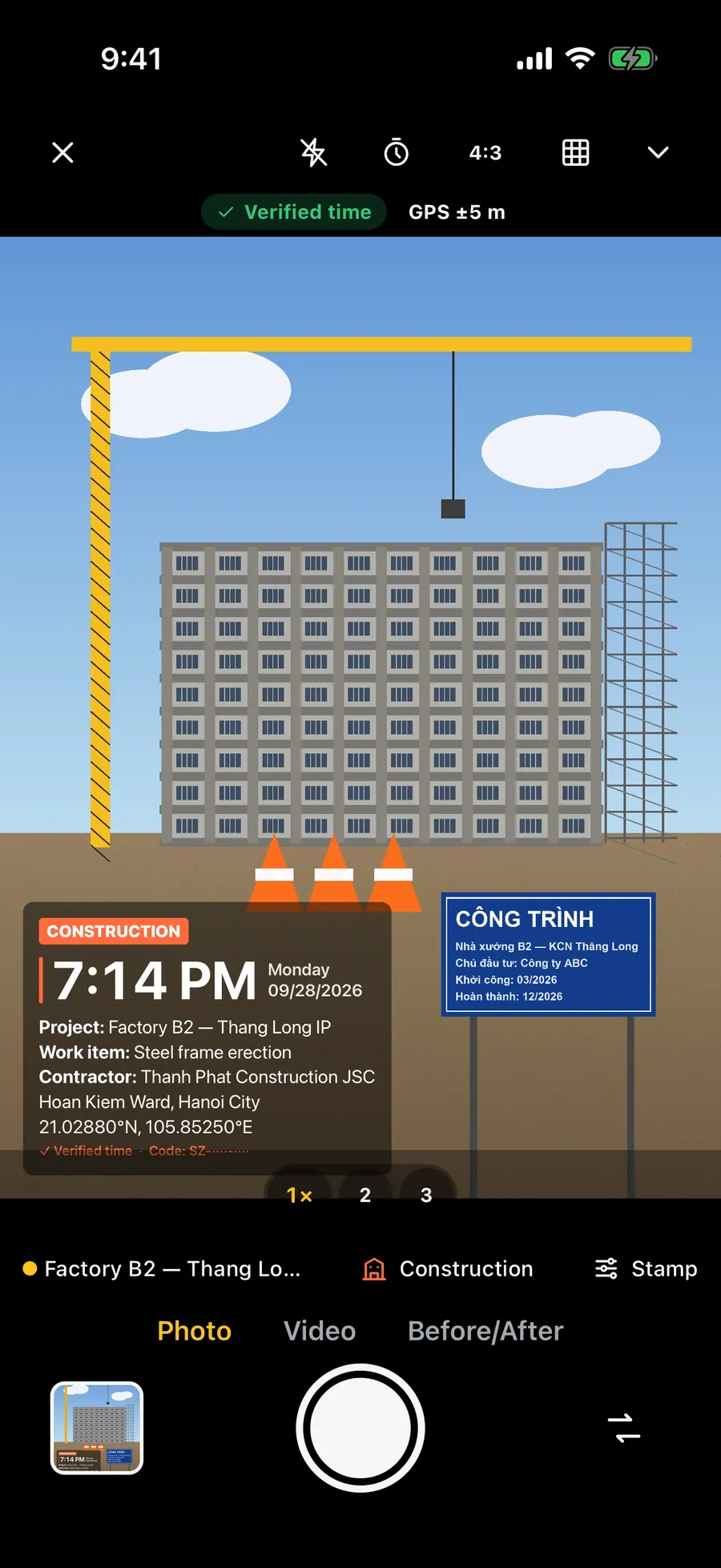
- For a record that has to be read without any viewer's guessing, the time can be printed on the picture itself, as part of the image.
What does a wrong time zone do to a timestamped photo?
A time printed onto the picture is read from the phone's clock and zone at the moment of the shot. If the zone is wrong, the printed local time is wrong by whole hours even though the instant is right. Check the zone before shooting check-in or delivery photos, and see the guide on a wrong clock if the minutes are off.
Frequently asked questions
- Why is my iPhone photo time wrong after a flight?
- Usually the iPhone kept your home time zone, or the photo is shown in a different zone than where it was taken. Check Settings → General → Date & Time → Set Automatically, then compare the photo on two devices.
- Does an iPhone photo store its time zone?
- The classic EXIF date has no time zone. A newer field can store the offset from UTC, but not every app writes or reads it, so a photo's time can shift when it is sent or opened elsewhere.
- How do I change the time zone of photos on iPhone?
- In Photos, open the photo, swipe up and tap Adjust, or select several photos and use Adjust Date & Time from the more (…) menu. The options depend on your iOS version.
- Does Stampzy stamp the local time when I travel?
- It prints the time in the time zone your iPhone is set to. With Set Automatically on, that follows where you are; if you set the zone by hand wrongly, the stamp will be wrong too.